Mobile App Development: How to Choose the Right App for Your Business
Imagine a customer who wants to book an appointment, place an order, check a delivery or access your services without making repeated phone calls. If your business makes that process difficult, the customer may look for a more convenient alternative.
A well-designed mobile application can make these interactions easier. It can give customers a convenient way to use your services while helping your business organise bookings, orders, communication and selected internal processes.
However, building an app involves more than creating attractive screens. You need to identify the problem it should solve, choose the right technology, plan the essential features and understand the long-term costs of maintaining it.
Investing in mobile app development can make sense for businesses that need functionality beyond a standard website. Doctors, clinics, retailers, logistics providers and service-based companies may all benefit from an app when it addresses a genuine customer or operational need.
This guide explains the different types of mobile applications, the development process, important security considerations, cost factors and how to select a suitable development partner. It will help you decide whether your business needs a mobile app and how to approach the project with greater confidence.
1. What Is Mobile App Development?
Mobile app development is the process of planning, designing, building, testing and maintaining applications for smartphones and tablets. Depending on the project, an application may run on Android, iOS or both platforms.
A mobile app can provide information, support transactions, manage appointments, connect customers with service providers or help employees complete business tasks. Some applications operate mainly on a user's device, while others depend on online servers, databases and external services.
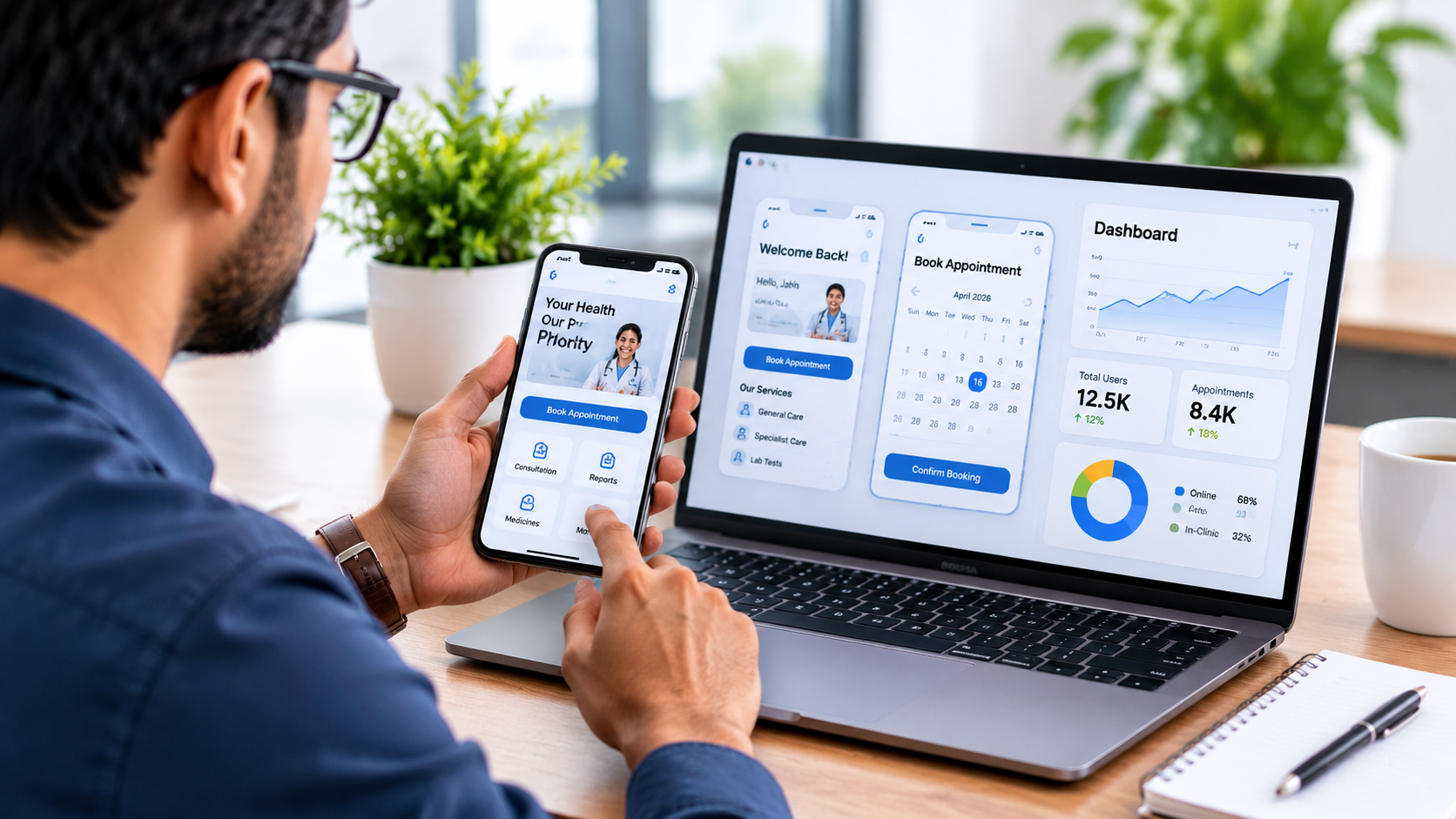
For example, a clinic might need an application that lets patients view available appointment slots and request bookings. A logistics business might need an app that allows field employees to update delivery statuses. An online retailer might want customers to browse products, track orders and receive relevant notifications.
Each project requires different features, technology and development effort. The right approach begins with the business problem rather than a predetermined list of features.
How is a mobile app different from a website?
A website runs through a web browser and can serve customers across many devices. A mobile application is installed on a supported device or distributed through an app platform, although some app experiences use other delivery models.
Websites are often suitable for public information, search visibility, service descriptions and simple enquiries. Mobile applications can be more appropriate when customers need repeated interactions, device-specific capabilities, persistent accounts or a dedicated workflow.
Some businesses need both. A website can introduce the company and attract new customers, while an app can support existing users who regularly book services, manage orders or access their accounts.
Before committing to app development, compare these options and confirm that an app offers enough practical value to justify its additional development and maintenance requirements.
2. Why Should a Business Consider Mobile App Development?
A mobile app should solve a problem that matters to customers or the business. It should not exist simply because competitors have one.
Make customer interactions more convenient
An app can bring frequently used services into one place. Depending on its purpose, customers might book appointments, view orders, update their details, access documents or contact support without repeating the same steps each time.
For a business with recurring customer interactions, reducing unnecessary steps can improve the experience. However, the benefit depends on whether customers actually want to use the app and whether it performs reliably.
Support repeat purchases and bookings
Businesses that serve returning customers may benefit from features such as saved preferences, order history, appointment management and account-based services.
For example, a service company could let customers review previous bookings and request another service through the same application. A retailer could provide order tracking and convenient access to product information.
These features should be designed around genuine user needs. An app with unnecessary steps or confusing navigation may discourage customers instead of helping them.
Improve selected business workflows
Mobile applications can support employees as well as customers. A field-service app might allow technicians to view assigned jobs, update work status and submit service reports. A delivery application might support route information, proof of delivery and status updates.
When an app connects with existing business systems, it can reduce duplicate data entry and improve information flow. The development team must first understand the current workflow, system compatibility and integration requirements.
Provide a dedicated digital experience
An app can offer an interface tailored to a specific service. Features such as saved settings, account dashboards and relevant device integrations can make repeated tasks easier.
Push notifications may also help communicate useful updates, provided users receive appropriate controls and the business respects their preferences. Notifications should deliver relevant information rather than becoming a source of unwanted interruptions.
Support a broader digital strategy
A mobile app can complement your website, customer relationship management system, payment gateway and other business tools.
For example, a website might introduce a service and collect initial enquiries, while an app supports customers after registration. The two channels should share information appropriately and provide a consistent experience.
App development does not automatically increase revenue or customer retention. Its value depends on adoption, usability, service quality and how effectively the application addresses a real need.
3. Types of Mobile App Development
Choosing the right development approach affects the user experience, technical complexity, budget and future maintenance. The main options include native applications, cross-platform applications, hybrid applications and progressive web apps.
Native Android app development
Native Android applications are developed specifically for the Android platform. Kotlin and Java are commonly used technologies for Android development.
A native approach can suit applications that require close integration with Android features, specialised device functionality or a platform-specific user experience.
The limitation is that a separate iOS application may require additional development effort if you want to serve iPhone users as well.
Native iOS app development
Native iOS applications are designed for Apple's mobile platforms, including compatible iPhones and iPads. Swift is a common development language for this approach.
Native development can be suitable when the product needs platform-specific functionality, detailed control over the interface or particular iOS capabilities.
If you also need an Android version, consider the cost of developing and maintaining two applications. The right decision depends on your target audience, feature requirements and available resources.
Cross-platform app development
Cross-platform frameworks allow developers to build applications for multiple operating systems using a shared codebase for much of the application.
Flutter and React Native are two commonly used options. They can be suitable for business applications that need Android and iOS versions while keeping development work more consolidated.
Cross-platform development does not mean every feature can be implemented identically on every device. Some requirements may still need platform-specific code, testing or integrations.
Hybrid mobile app development
Hybrid applications combine web technologies with a native application container or other platform integration. Depending on the framework and architecture, they can reuse web-based components while providing an installable app experience.
This approach may suit applications with relatively straightforward requirements or teams that already maintain a web application.
Evaluate performance, device integration, user experience and long-term framework support before choosing a hybrid solution.
Progressive web applications
A progressive web application, or PWA, delivers an app-like experience through web technologies. Depending on browser and operating system support, it may offer installation, offline capabilities and selected device integrations.
A PWA can be a practical alternative when customers mainly need access to content, forms or straightforward service workflows without requiring every feature of a native application.
However, browser capabilities and platform restrictions vary. Verify that a PWA supports the specific features your business requires before selecting it.
Compare the available approaches
| Approach | Potential advantages | Important considerations |
|---|---|---|
| Native Android | Android-specific functionality and platform integration | Separate iOS development may be needed |
| Native iOS | iOS-specific functionality and user experience | Separate Android development may be needed |
| Cross-platform | Shared code across supported platforms | Some features may require platform-specific work |
| Hybrid | Reuse of web technologies and components | Performance and device integration depend on implementation |
| Progressive web app | Browser-based access and simpler distribution in suitable cases | Browser and operating system limitations must be checked |
No single approach is best for every business. Compare the required functionality, target devices, technical constraints, budget and maintenance needs before making a decision.
4. Essential Features to Plan Before Building an App
Features should support the main purpose of the application. Starting with too many features can make the project harder to manage and delay the release of its most useful functionality.
Simple registration and login
If users need personal accounts, design a straightforward registration and login process. Select an authentication approach that suits the sensitivity of the information and the risks associated with the application.
Consider password recovery, session management, account deletion and appropriate access controls. Avoid collecting personal information that the application does not genuinely need.
Clear navigation and user experience
Users should understand how to complete common tasks without searching through multiple screens. Keep important actions visible, use familiar navigation patterns and provide helpful feedback when an action succeeds or fails.
UI/UX design should consider different screen sizes, accessibility needs, network conditions and the experience of first-time users.
Payments and transaction management
An application that sells products or services may need payment processing, order confirmation, transaction records and refund workflows.
Payment requirements differ by business model and platform. Confirm the applicable payment provider terms, platform rules, transaction charges and compliance requirements before choosing an implementation.
Notifications and reminders
Notifications can communicate appointment reminders, order updates, delivery changes and other useful information. Their content and timing should match the user's expectations.
Provide appropriate notification controls and avoid sending irrelevant or excessive messages. For sensitive information, ensure that notification content does not expose private details on a locked device.
Search, filters and personalised information
Applications with many products, services or records may need search and filtering features. Customers should be able to locate relevant information without unnecessary scrolling.
Personalisation may include saved preferences, recent activity or relevant recommendations. Collect and use personal data only for clearly explained, appropriate purposes.
Admin dashboard and reporting
Some apps require an administrative interface that allows authorised staff to manage users, review bookings, update content or monitor operations.
Define the required roles, permissions, reports and approval processes before development. An admin dashboard should protect sensitive information and prevent unauthorised access.
Integration with existing systems
Your app may need to exchange data with a website, CRM, inventory system, payment provider or scheduling platform.
Before development begins, identify which system acts as the source of truth for important records and how the systems will handle errors, duplicate requests and unavailable services.
Build the initial feature list around essential user journeys. Additional features can be prioritised after the core application has been tested with its intended audience.
5. Mobile App Development for Different Industries
The best app concept depends on the way your customers interact with your business. The following examples are hypothetical scenarios intended to demonstrate possible uses, not verified client results.
Healthcare and medical practices
A clinic might consider an app for appointment requests, reminders, patient education or access to selected healthcare services. A multi-location healthcare provider might need different access levels for patients, clinicians and administrative staff.
Healthcare applications require careful planning around sensitive information, privacy, authentication, access permissions and data handling. Features involving medical records, diagnosis or treatment workflows may also require specialist clinical and regulatory review.
Start by identifying the specific patient or administrative problem the application should solve. A responsive website or a simpler booking solution may be sufficient if the requirements are limited.
Retail and e-commerce
A retailer might use an app to display products, manage customer accounts, provide order updates and support repeat purchases.
Before building, compare the expected benefits with the cost of maintaining the app alongside an existing online store. Product data, payment handling, inventory synchronisation and customer support must work reliably.
Logistics and delivery
A logistics company may need separate interfaces for customers, delivery personnel and administrators. Possible features include shipment status, task assignment, location sharing and delivery confirmation.
Location tracking requires particular attention to user permissions, data retention, battery consumption and privacy. Collect location information only when the function requires it and explain how the information will be used.
Professional and home services
A service business could use an app for appointment requests, service-area checks, quotations, job updates and customer feedback.
For example, a home maintenance company may want customers to describe a problem, select a preferred appointment time and receive updates about the assigned technician.
The business should decide how the app will interact with staff schedules, customer support and payment processes before development starts.
Education and training
Education providers may use apps to deliver learning materials, manage schedules, send reminders and provide access to student resources.
Requirements may include account roles, progress tracking, content access controls and support for different connection speeds. If the app serves children, additional privacy and safeguarding considerations may apply.
6. The Mobile App Development Process: From Idea to Launch
A clear development process helps control scope, manage expectations and identify technical issues before they become expensive to fix. The exact stages depend on the project's complexity and delivery model.
Step 1: Discovery and requirements
Start by defining the target users, main problem, business objective and essential functionality. Identify how the application will create value and what evidence would indicate that it is working as intended.
Prepare user journeys, feature priorities, integration requirements and an initial budget. If the idea is still uncertain, consider validating it with customer interviews or a prototype before committing to a full build.
Step 2: Choose the technical approach
Decide whether the project needs native Android or iOS development, a cross-platform application, a hybrid approach or a progressive web app.
The choice should reflect the feature requirements, expected usage, available skills, long-term maintenance and distribution needs. Ask the development team to explain the trade-offs rather than recommending a framework without context.
Step 3: Design the user experience
Create wireframes or prototypes that demonstrate how users will navigate the application. Review the main screens and interactions before implementing the full feature set.
Test whether users can complete the most important tasks. Early feedback can reveal confusing workflows before the team invests heavily in development.
Step 4: Build the application and backend
Developers implement the mobile interface and any required backend services, databases, APIs and integrations. The backend may handle accounts, business rules, records, notifications and synchronisation between devices.
Define how the application will behave when a network connection fails, an external service becomes unavailable or a user submits the same request more than once.
Step 5: Test functionality, usability and security
Testing should cover the main user journeys, supported devices, operating system versions, performance and error handling.
Depending on the app, testing may also include authentication, access controls, secure data transmission, data storage, payment workflows and recovery procedures.
Testing should not be limited to confirming that screens open. Verify that the application handles real-world conditions and protects the information it processes.
Step 6: Prepare for app-store submission
If you plan to publish through Google Play or Apple's App Store, prepare the required app information, screenshots, privacy disclosures and other submission materials.
Store review is subject to each platform's current rules and assessment process. Approval is not guaranteed simply because the application works technically.
Review the official Apple App Review guidelines and applicable Android privacy and security guidance when planning the project.
Step 7: Launch, monitor and improve
After release, monitor errors, crashes, user feedback and the completion of important tasks. Address critical issues and prioritise improvements based on evidence.
Plan for operating system updates, dependency upgrades, backend maintenance and customer support. An app requires continuing attention after launch, and the support arrangement should be agreed before development begins.
7. How Much Does Mobile App Development Cost?
Mobile app development costs vary according to functionality, design, platform requirements, integrations, security needs and ongoing support. A simple application with a small number of screens differs substantially from a platform that manages payments, user accounts, live location or complex business workflows.
Rather than relying on a generic price estimate, prepare a clear feature list and request a project-specific quotation. This makes it easier to compare proposals and understand what you are paying for.
What affects the development budget?
- Platform choice: Native applications for multiple platforms may require separate implementation work. Cross-platform approaches can share code, although some platform-specific work may remain necessary.
- Feature complexity: Login, basic forms and static content usually require different effort from live tracking, video calls, complex scheduling or payment workflows.
- UI/UX design: Custom interactions, prototypes, accessibility requirements and usability testing affect the design effort.
- Backend infrastructure: Accounts, databases, APIs, admin dashboards and integrations add technical requirements.
- Security and privacy: Applications handling sensitive or regulated information may require additional design, controls and testing.
- Third-party services: Maps, messaging, payments, cloud hosting and other integrations may involve recurring subscription or usage charges.
- Maintenance: Bug fixes, monitoring, compatibility updates and feature improvements contribute to the total cost of ownership.
Compare the total cost, not only the initial quote
Ask each provider to separate development, design, infrastructure, third-party subscriptions, app-store account expenses and post-launch support where applicable.
Clarify whether the quotation includes source code handover, deployment assistance, documentation, testing and a defined support period. Ask how additional features and changes to the agreed scope will be priced.
A lower initial quotation may exclude work that another proposal includes. Compare the deliverables, assumptions, ownership terms and expected maintenance responsibilities before deciding.
Consider a minimum viable product
A minimum viable product, or MVP, is an initial version that contains the essential features needed to test a product idea with real users.
For example, an appointment app might begin with service listings, available time slots and booking requests before introducing advanced analytics or additional integrations.
An MVP should still meet appropriate quality, security and privacy requirements. The goal is to control scope and learn from real use, not to release an unreliable or unsafe application.
8. How to Choose the Right Mobile App Development Company
Searching for app development near me can help you discover providers that may be convenient to work with. However, location alone does not establish whether a company can deliver your project successfully.
Evaluate the provider's relevant experience, technical approach, communication, project scope and ability to support the application after launch.
Review relevant portfolio projects
Look for examples that resemble your project's requirements. An appointment application, for example, requires different capabilities from a delivery app or a customer loyalty platform.
Ask what the provider actually delivered, which technologies it used and whether it can demonstrate the relevant functionality. Distinguish between portfolio descriptions and independently verified business outcomes.
Check technical capabilities
Ask whether the team can support the required platform, backend, integrations, testing and deployment process. If the app uses an existing business system, discuss API availability, compatibility and data migration requirements.
A suitable development partner should explain technical choices clearly and identify important risks before work begins.
Review communication and project management
Confirm how the provider will share progress, gather feedback and manage approvals. A project plan should identify deliverables, milestones, dependencies and responsibilities.
Ask how changes will be handled when requirements evolve. Clear scope management helps prevent disagreements about additional work and delivery expectations.
Confirm ownership and access
Clarify who will own the application code, designs, documentation and project-specific assets under the agreement. Establish who controls the developer accounts, cloud infrastructure, databases and third-party subscriptions.
Make sure you can obtain the appropriate access and handover materials if you later change providers. Avoid arrangements that leave your business unable to manage or transfer its own product.
Evaluate support after launch
Ask how the provider handles bugs, security updates, compatibility changes and new feature requests. Confirm which services are included in the initial agreement and which require an additional fee.
App-store submissions, platform policy updates and operating system changes may create ongoing work. Your support plan should account for the application you are building.
Questions to ask before hiring app developers
- Which development approach best fits my requirements, and why?
- What features are included in the proposed scope?
- How will you test the app on supported devices?
- How will you handle security, personal data and access permissions?
- Who owns the code, design assets and developer accounts?
- What are the estimated timeline, milestones and payment terms?
- What support will be available after the app launches?
Compare the answers rather than choosing solely on price or promises. A provider that explains limitations, dependencies and responsibilities clearly can help you make a more informed decision.
9. Security, Privacy and Compliance Considerations
Mobile applications may handle names, contact details, account credentials, payment information, location data or sensitive records. The required safeguards depend on the type of information and how the app uses it.
Collect only necessary information
Identify which information each feature genuinely requires. Avoid requesting access to a user's camera, microphone, contacts or location unless the functionality needs it.
Explain why permissions are requested and give users appropriate control. An app should not collect sensitive information simply because it might be useful later.
Protect data in transit and at rest
Use appropriate safeguards for information sent between the app and its backend. Evaluate secure communication, authentication, storage controls, secret management and access permissions.
Do not store sensitive information in insecure locations or expose private data through application logs. Security requirements should be considered during architecture and development rather than added only at the end.
Prepare a clear privacy policy
Your privacy documentation should explain the information the app collects, how it is used, whether it is shared and how users can exercise applicable rights.
Depending on the app and the applicable rules, you may need processes for data access, correction, deletion, retention and consent management. Healthcare, financial and other sensitive applications may require additional specialist review.
Review platform policies before release
Google Play and Apple's App Store have requirements that can affect app functionality, disclosures and submission materials. Review the current rules early enough to incorporate necessary changes before launch.
Useful references include the Android privacy and security documentation and Apple's App Review guidelines.
Security and compliance are ongoing responsibilities. Define who will review updates, respond to vulnerabilities and manage relevant incidents after release.
10. Common Mobile App Development Mistakes to Avoid
Building an app without validating the idea
A business may invest in development before confirming that its customers need a dedicated application. If users can complete the same task easily through a website, an app may add unnecessary cost and complexity.
Interview potential users, study the existing workflow and test a prototype before committing to a full build.
Adding too many features at the beginning
Every feature requires design, implementation, testing and maintenance. Adding too many features can delay the core product and make the user experience harder to understand.
Prioritise the main user journey and introduce additional functionality when evidence supports it.
Ignoring the backend and integrations
An attractive interface may still fail if the application cannot reliably store information, communicate with external systems or handle errors.
Plan the backend architecture and integration requirements alongside the mobile interface, especially when the app supports business-critical operations.
Neglecting usability testing
Developers may understand the interface because they built it, but first-time users may struggle with unfamiliar labels or complicated workflows.
Ask representative users to complete key tasks and observe where they encounter difficulty. Use the feedback to improve the design before release.
Underestimating ongoing costs
Launching the app is only one part of its lifecycle. Hosting, third-party services, support, compatibility updates and future improvements can require continuing investment.
Prepare a maintenance budget and decide who will be responsible for ongoing technical work.
Assuming app-store approval is automatic
Publishing platforms review submissions against their applicable policies and technical requirements. Missing disclosures, incomplete functionality or other policy issues can delay approval.
Review current platform guidance, prepare accurate submission information and allow time for testing and review.
11. Practical Mobile App Development Examples
The following scenarios are illustrative examples. They demonstrate how a business might define an app project but do not represent verified customer outcomes.
Example 1: A clinic planning an appointment app
A clinic wants patients to request appointments without repeatedly calling reception. The initial application could provide doctor information, appointment requests and booking notifications.
Before development, the clinic should define appointment availability, cancellation rules, staff responsibilities and the information the app needs to collect. Any patient records or sensitive health information require appropriate safeguards.
Example 2: A service business planning an on-demand app
A service company wants customers to request jobs and receive progress updates. The project might need customer accounts, service categories, booking details, job assignment and notifications.
If location tracking or payments are required, the team should evaluate the technical integrations, privacy implications and operational processes before finalising the scope.
Example 3: A retailer planning a shopping app
A retailer wants to make product browsing and repeat orders more convenient. The proposed app might include a product catalogue, customer accounts, checkout, order history and status updates.
The retailer should compare app development with improving its existing mobile website. A dedicated app is most useful when its additional capabilities justify the ongoing cost of supporting another customer channel.
Reviewing relevant work from SRM Tech Solution
SRM Tech Solution's public portfolio lists a telemedicine healthcare app with appointment booking, video consultation and digital health record features. It also lists an on-demand services app featuring GPS tracking, mobile payments and notifications.
These portfolio descriptions provide relevant examples of the types of applications businesses may consider. They should not be interpreted as independently verified performance results or guarantees for a future project.
You can explore the SRM Tech Solution portfolio to review the available project information and discuss which capabilities are relevant to your requirements.
12. When Should You Hire Professional App Developers?
Professional development support may be useful when your application requires custom workflows, multiple platforms, secure data handling, third-party integrations or ongoing technical maintenance.
A development team can help assess feasibility, choose an appropriate architecture, create the user experience, implement features and test the application before release.
However, professional development is not necessary for every business idea. A simple booking page, an existing software subscription or a no-code platform may meet your needs at a lower cost when the required functionality is standard.
Consider custom development when the business problem is specific enough to justify a tailored solution or when available tools cannot reasonably support your requirements.
If you are comparing app developers near me, ask each provider to explain whether custom development is necessary. A useful recommendation should consider your budget, timeline, internal resources and long-term goals rather than automatically proposing the most complex option.
13. Mobile App Development with SRM Tech Solution
SRM Tech Solution provides mobile app development services for businesses evaluating applications for Android, iOS and cross-platform use.
Its published service information describes native Android development using Kotlin and Java, native iOS development using Swift, cross-platform development using Flutter and React Native, and hybrid app development. The service page also lists UI/UX design, app-store deployment and ongoing maintenance among its offerings.
The right starting point is to explain the problem your app should solve, the people who will use it and the essential features required for launch. These details help determine the appropriate technology, development scope and testing requirements.
Before approving a project, request a proposal that explains the recommended approach, deliverables, estimated timeline, costs, ownership arrangements and post-launch support.
Visit the SRM Tech Solution mobile app development service page to review the service information and explore whether the available capabilities match your requirements.
You can also use the project contact form to describe your idea and request a discussion about feasibility, scope and cost.
14. Frequently Asked Questions About Mobile App Development
1. How much does mobile app development cost?
The cost depends on the features, platform, design, integrations, backend requirements, security needs and ongoing support. A basic application will usually require a different level of effort from a complex platform with payments, live tracking or specialised workflows. Request a written quotation based on the actual scope rather than relying on a generic estimate.
2. How long does it take to develop a mobile app?
The timeline depends on the number of features, technical complexity, design requirements, integrations and approval process. SRM Tech Solution's contact page lists an indicative timeline of 8–16 weeks for mobile apps, but an individual project may require more or less time. Confirm the expected schedule during project discovery.
3. Should I build an Android app, an iOS app or both?
Choose platforms according to your target users, required functionality and available budget. If you need to support both Android and iOS, compare native development with cross-platform options such as Flutter or React Native. The best approach depends on your technical requirements and long-term maintenance plans.
4. What is the difference between native and cross-platform app development?
Native development builds an application specifically for a particular operating system. Cross-platform development allows developers to share much of the application code across supported platforms. Native development may suit specialised platform requirements, while cross-platform development can simplify some multi-platform projects. Neither option is universally best.
5. Can an app integrate with my existing website or business software?
Yes, when the existing systems provide suitable integration options and the required permissions. An app may connect to a website, CRM, inventory system, payment provider or other service through APIs or supported integrations. The development team should assess compatibility, security and data synchronisation before confirming feasibility.
6. Will the development company publish my app?
Some development engagements include app-store submission assistance, while others treat it as a separate deliverable. Confirm whether the proposal covers store listings, submission materials, policy checks, review feedback and subsequent updates. Publishing remains subject to the relevant platform's current requirements and review decisions.
Conclusion: Choose Mobile App Development That Fits Your Business
A successful mobile app begins with a clear purpose. It should solve a meaningful customer problem, improve a business workflow or provide a useful service that is difficult to deliver through simpler alternatives.
Before investing in mobile app development, define the essential features, identify your users and compare native, cross-platform, hybrid and web-based options. Consider security, usability, integrations, development costs and ongoing maintenance as part of the same decision.
Take time to review relevant portfolios, understand the development process and confirm ownership and support arrangements before signing an agreement. A smaller, carefully planned application may be a more practical starting point than a large product with features that have not been validated.
SRM Tech Solution lists mobile app development services for Android, iOS and cross-platform projects. If you are considering an application for your business, explore the service details and prepare a clear description of your idea, intended users and key requirements.
Ready to discuss your app idea? Visit the mobile app development service page or submit your requirements through the SRM Tech Solution contact form to discuss a suitable next step.
Additional Resources
- Android Developers: App Architecture — guidance on organising application components and building maintainable Android applications.
- Android Developers: Privacy and Security — guidance on app permissions, data protection and security practices.
- Apple Developer: App Review — current review guidance for applications submitted to Apple's App Store.
- Apple: Human Interface Guidelines — guidance for designing clear, consistent experiences across Apple platforms.